Case study 01 · Web3Connect.com · Deep dive 2 of 3
Four apps in eight weeks
Tech stack selection, prototyping, AI hallucination, agents coding in parallel, and the cost of building fast. This is how I built Web3Connect.com in eight weeks, and the lessons learned.
Part of a larger project
Web3Connect.com is a B2B reviews marketplace for the blockchain industry that I founded, designed and built solo. This page is about how it got built, how fast, and what that speed cost. Learn more about how I developed the commercial model behind it, and the post-launch discoveries & refinements. The overview has the background.
Choosing the tech stack
The default tech stack for this kind of project was Vercel for hosting & Supabase for database & user management. Instead of assuming this common stack would suit, I wrote down what the platform had to do, then used that list to rule options out.
Logins. Supabase sells itself partly on handling user accounts for you. While that is convenient, it also creates vendor lock-in, as user accounts and passwords are difficult to migrate. I researched various options that retained portability, and selected a well-maintained open-source solution, Better Auth instead. With logins handled elsewhere, Supabase was really just selling me a PostgreSQL database at a premium.
Scheduled work. The platform needed activities running in the background from day one: fetching data via APIs, recalculating rankings, summarising content, clearing caches, sending email, aggregating statistics, etc. At the time neither Vercel nor Supabase could run background jobs. I commissioned a research report using AI comparing the alternatives and went with its recommendation, Railway.
Requirements first, then vendors
I didn’t pick a platform and then find out what it couldn’t do. I wrote down what had to run and used that to rule platforms out. That sounds obvious, but it is often not the case for less mature engineers.
Buying a second opinion
Working on your own, the thing you miss most is a senior engineer telling you your plan is wrong. So I bought one. I paid for Supastarter, a mature commercial Next.js starter kit — not initially to build on, but to check my own technical specification against.
It found real gaps, and I adopted all of its answers: a simpler structure than the microservices I had been sketching, Turborepo to manage the applications together, Prisma for the database, TanStack Query for loading data, and Zod to validate data at every boundary. I rewrote the specification around what it taught me, and in the end used the starter kit as the foundation too.
The boilerplate natively supported the abstraction of 'organisations' vs associated users (members) which mapped well to Web3Connect.com where a user could manage multiple 'partner' profiles, or a partner could have multiple associated editor accounts.
Prisma allowed me to define the whole database and all its relationships in a single readable file, which meant the AI could read the entire data model at once. That turns out to matter a great deal, for reasons the next two sections explain.
Prototypes before building
With the specification, database design, category structure and brand positioning settled, I used AI to turn the specification into targeted design briefs, and then into working clickable prototypes — real pages, using the real design system, before any of the actual product existed.
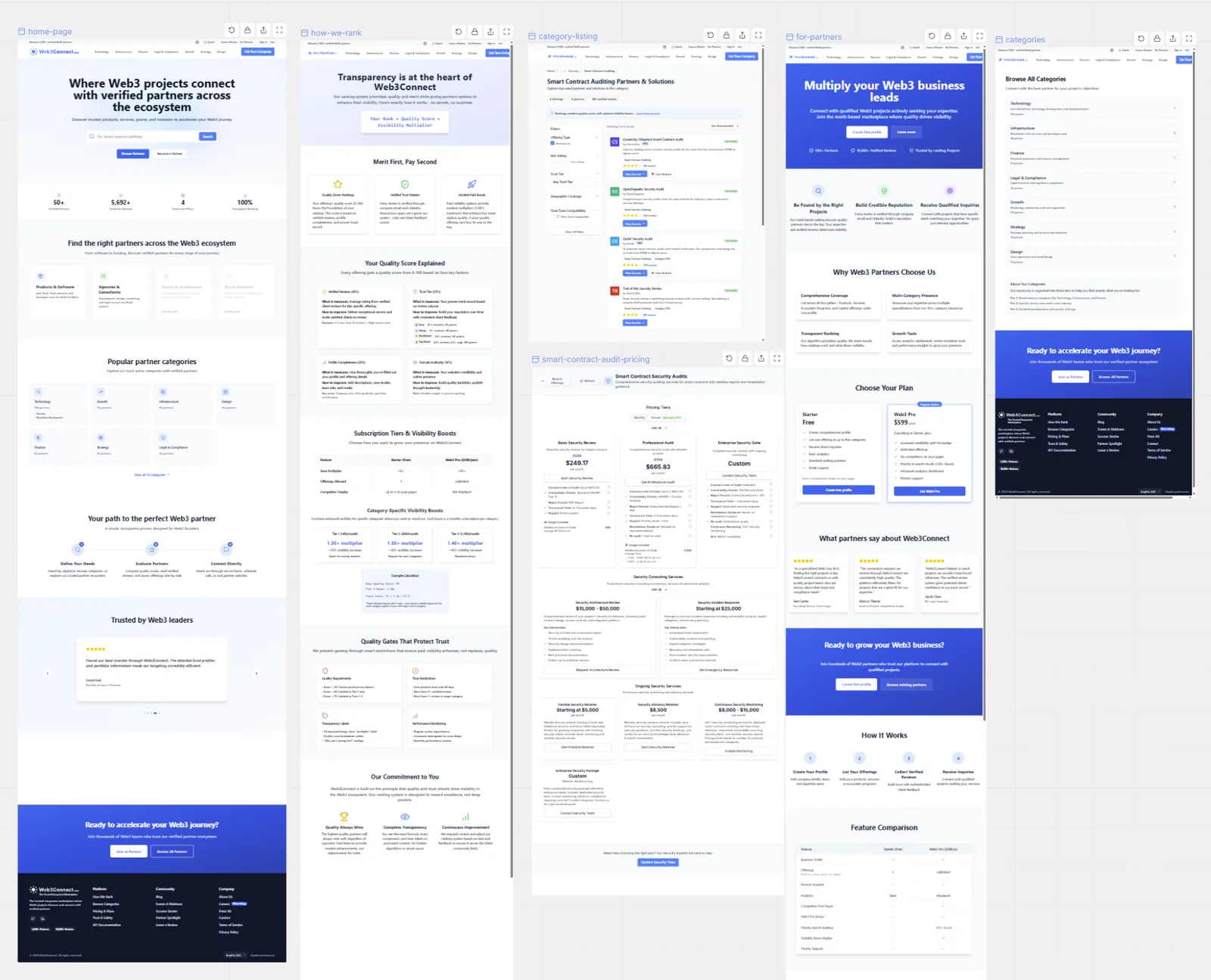
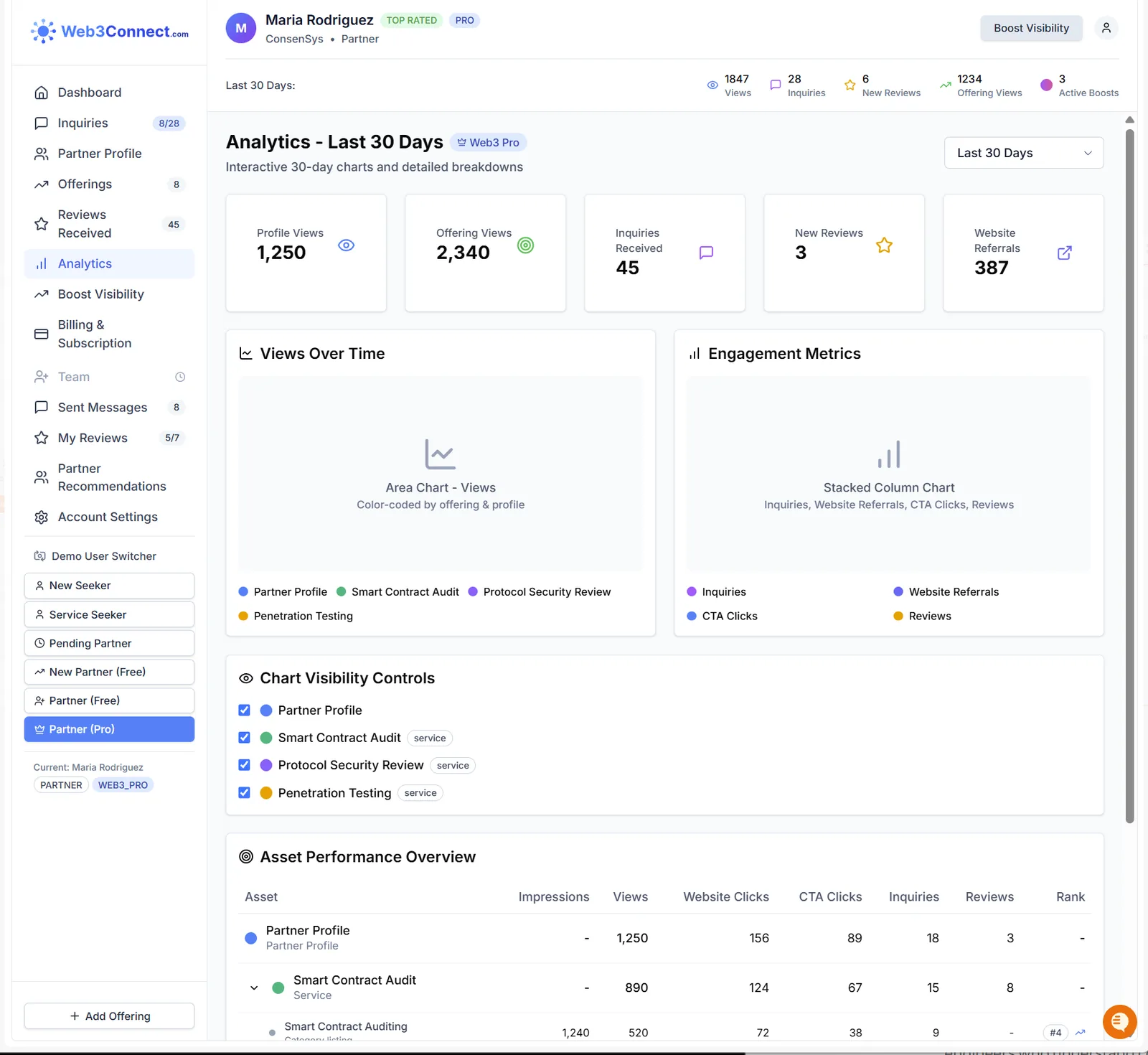
The greatest challenge during this phase was that AI kept hallucinating 'enhancements' when building out the prototypes. Some were genuinely good ideas, however many of them would have added significant work I had not allowed for in my eight week build & launch timeline.
The fix was four changes to how I gave instructions, not a change of tool. Roll back rather than trying to prompt/edit the hallucinated features out. Edit the design brief to explicitly state what not to build. Rewrite every user journey diagram as text ('mermaid' markdown) rather than a picture, so the AI could read it instead of interpreting an image. And move every “later” idea out of the specification into a separate document, so ideas I'd noted for post-launch didn’t leak into what I was building now.
Day four: a hundred invented fields
On day four of the production build, I checked the database against my specification and found it had drifted badly: more than a hundred fields that weren't in my schema specification. AI had invented them, plausibly and consistently enough that nothing had visibly broken yet.
I must admit my confidence in building the whole platform using AI was shaken at this point. I was working with early-stage models with 200-250k token context windows, no sub-agent functionality, which dictated a high bar on context management.
I rolled back to a clean copy and updated the AI's base context file to place a mandatory check on database field alignment with my source specification schema.
The real problem was having two sources of truth
The AI wasn’t malfunctioning. I had a specification describing the data and a separate file defining it, and I had never said which one won. Faced with the ambiguity, it filled in the gap sensibly.
The fix is a rule I would apply to a team of people too: when two documents describe the same thing, one of them has to be named as the authority, in writing. The AI just exposed the gap in four days instead of four months.
Day eleven: splitting into four
By day eleven it was clear the single large application I was building was the wrong shape. I was working toward four distinct surfaces and each surface had genuinely different security risks and traffic patterns.
So I split it into four separate applications plus a background service, still managed as one project.
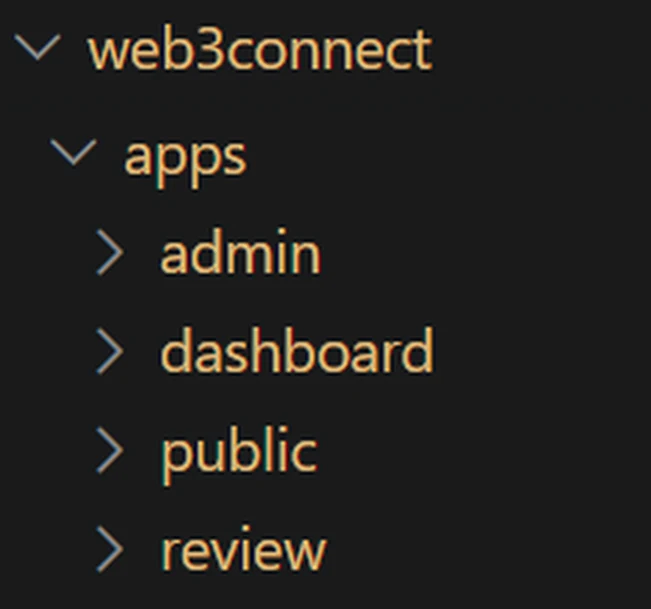
| App | Traffic & access | Why it’s separate |
|---|---|---|
| Public site | Anyone, read-only, very high traffic | Pages can be pre-built and served fast, and it needs to survive traffic spikes. Nothing here changes data. |
| Review submission | Anyone, writes data, moderate traffic | The only place a stranger can create content without logging in, which makes it the riskiest part. Isolated on purpose. |
| Partner dashboard | Logged-in customers, low traffic | Everything is personalised, so almost none of it can be pre-built or cached. |
| Admin | Me and two staff, very low traffic | Has the most power over the system. Needs a level of security isolation that would be unacceptable for public apps. |
Keeping the four in completely separate projects would have given the same isolation, but then any code they share has to be versioned and published between them — ongoing work, every week, forever. Keeping them in one project ('monorepo' approach) means shared code is always immediately available to all four.
The benefit I hadn’t planned for
Four separate applications turned out to mean four separate projects I could work on at the same time. Using Git Worktrees, I could run four or five AI sessions at once, each building out features for a different application, without them overwriting each other’s work.
Managing the AI properly
An AI can only hold so much information at once, and building a complex platform with consistent coding & architecture practices, unique business model, abstraction of reviewing of offerings (vs partners) – all starts to create context constraints.
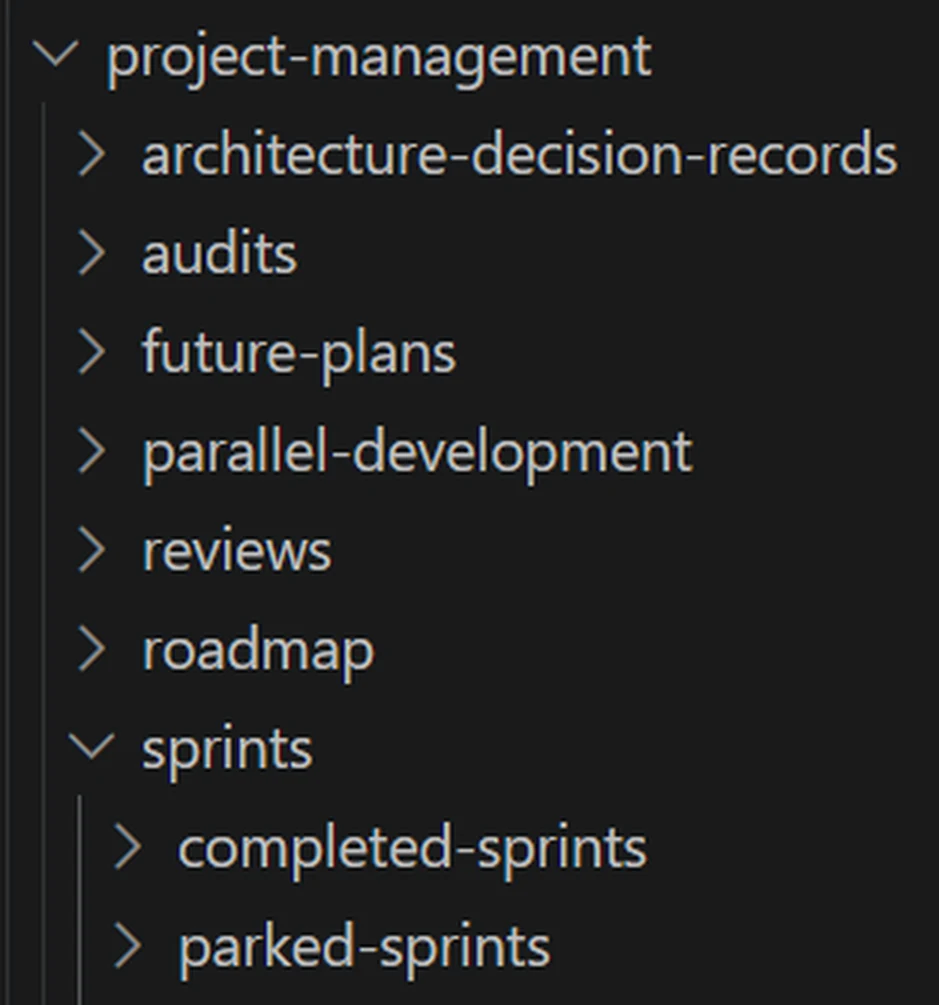
As my base approach, I used a roadmap + sprint approach to break the project into chunks that an AI agent with limited context window could handle. I provided pre-built prototype code & database schema to avoid ambiguity on output.
Dynamic context loading. My base context file had grown from 580 lines to 2,845 — this was using up valuable capacity that could be going to the actual task. I cut it to 200 lines: an index page and the rules that always apply, with everything else loaded only when relevant. I also added a hook function that reads the request, works out which reference documents are needed, and loads those before starting.
Handing over between sessions. When a session ran out of capacity prior to completing a sprint, the standard 'compact' process was leading to hallucination in output from that point onward. Monitoring context usage and 'handing over' the work-in-progress to a clean session was the only solution, however no method existed for cleanly transferring state. So I built commands that wrote a hand-off prompt for a new session to pick up where the last session ran out of context.
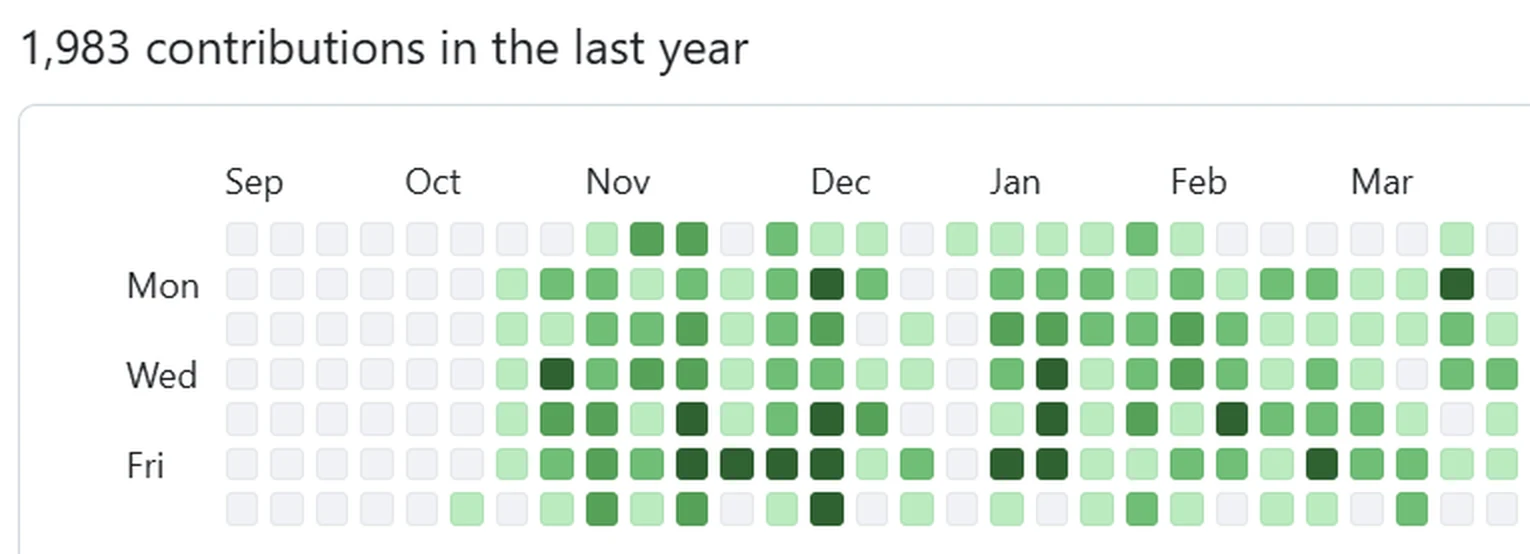
Writing decisions down. If the business went well it wouldn't have made sense for me to be stuck in engineering, so at every step of the platform build I planned for handover. I kept a build log for every session - and an architectural decision record for every significant technical decision, why it was made, and what alternatives were considered. By the end that came to 149 decision records and 105 session logs.
As AI tools improved & context windows expanded I moved from writing detailed specifications towards defining the objective (or issue) in 'Plan mode', reviewing & agreeing to the execution plan in conversation first and building second. The conversational approach works well for established product refinement or bug diagnosis, but taking this approach for the initial core product build would have led to chaos.
Overall I'm happy with the quality of the final product and believe my oversight and orchestration approach was appropriate and effective for the state of AI development at the time.
Changing course mid-build
Avoiding a $10,000-a-year bill. I had planned to use Algolia for both search and filtering across the whole site. Partway through the build I projected the costs: Algolia charges per request, and at the traffic I was forecasting that came to US$3,000–10,000 a year. It also embedded a critical vendor dependency on nearly every page.
I decided to cut back the scope of Algolia to search query parsing — handling the cases where people misspell keywords, used synonyms or US vs UK spelling. I moved the filtering of partner offerings into PostgreSQL at no extra cost.
Measuring speed during the build. I logged how long every database query took and had the AI watching for slow ones as new features went in. That is how I caught a query taking 600 milliseconds and got it below 100ms through query restructuring.
Cutting scope openly. To achieve my launch date I postponed or feature-gated several features, including a pricing builder for offerings (nice-to-have), messaging facility (required claimed partner profiles), and various Pro features (advanced dashboard, visibility boost subscription). Partners would want to see traffic and reviews before they paid - building functionality that wouldn't be used until this happened was a commercial decision. Thanks to the speed of AI development, much of this was built in the weeks after launch.
A wasted day, and what it taught me
I spent a whole day trying to integrate my complex prototyped pricing plan functionality and end up with 100 modified files and a broken site that AI couldn't fix. The context window was simply too small for the breath of the feature. The next morning I rolled back a day’s work, broke the feature into smaller pieces, and had it working in two hours.
Nothing about the tool changed between those two days. It came down to understanding its current limitations & working within them.
AI can build fast, but humans need to provide the guardrails on scope and checkpoints.
shannon.diyNovember 2025What building fast cost me
Four AI sessions running at once means four sessions that cannot see each other’s work. Each one needed something, so each one built it.
By the time I stopped to tidy up, the four applications had separate versions of the same basic operations: saving and editing records, form/content validation, cache clearing, score recalculation, counting reviews.
The worst case was logins: four separate versions, roughly 2,400 lines of duplicated code, each at a different level of completeness. Four different approaches to handling user sessions in one product isn’t just untidy, it’s a security risk.
I had AI perform a duplicate code audit and refactored the duplicates into shared libraries.
Plan ahead or plan for the clean-up
The duplication should have been obvious at the time – sessions that can’t see each other will inevitably duplicate code. Authentication & session management should have been identified and moved to a shared library earlier.
Working in parallel always costs something to pull back together. It's important to plan for code reviews as a trade-off of speed.
Inconsistent content state values: I had used a variety of words in my PRD to describe the state of content (partner profiles, offerings, reviews & reviewers). Keywords such as SUBMITTED, VERIFIED, APPROVED and PUBLISHED were being used to describe content states, and didn’t always mean the same thing across different content types.
A reviewer could be 'verified' (via email/LinkedIn), but their review may not be 'verified' by a moderator (thus should not be published). This nuance was causing AI to trip up during implementation, even though the database schema & PRD was clear.
On a review site this carries legal and reputational risk – a customer review could reach the public site without anyone checking it, because one application read another’s “verified” as “ready to publish”.
I standardised the content state terms across the entire system. It touched more than 130 files and took over two days - breaking in places, which I found and fixed during testing.
Don't make AI guess intent
I'd used terms for content states that were open to interpretation, which invited AI hallucination.
Testing regularly & thoroughly caught it, but it taught me a lesson in clarity (which applies to both humans and AI).
Launch, and the 48 hours after
Launch week involved three all-nighters in the final push to go-live. I launched on 13 December 2025, eight weeks after the first line of code (and 2 days before a Christmas cruise with family).
Two things went wrong that weekend.
Day one, the review submission app went down. I only found out because I happened to check. That evening I set up automatic monitoring across all three public sites.
Day two, a login bug on the live site. I added thorough error reporting so any error, no matter how small, would come to me immediately via Pumble (Slack alternative).
Don't just track success
I'd implemented extensive tracking of clicks & impressions (the core value proposition of the platform), but I'd neglected monitoring for failures and errors.
Over the following weeks I built error and status reporting into all layers of the application.
Fixing what I’d rushed
The months following launch went into speed optimisation, releasing held-back functionality, monitoring user behaviour (PostHog), back-office tools and automations, and targeting vendors to claim thier profiles.
There were various architectural issues that needed attention:
Forms. Adding one field to a partner or offering form meant editing more than ten different places. I audited how every form was built and validated, then consolidated it. The UX behaviour was included – scrolling to a field with an error, highlighting it, explaining the problem, greying out ‘next’ button with a tooltip saying why – all written once and shared, rather than rebuilt in each application.
Release process. I found a gap in my pre-release checks that was letting broken code through to the live site even though it worked fine on my machine, and added several automatic safeguards behind it.
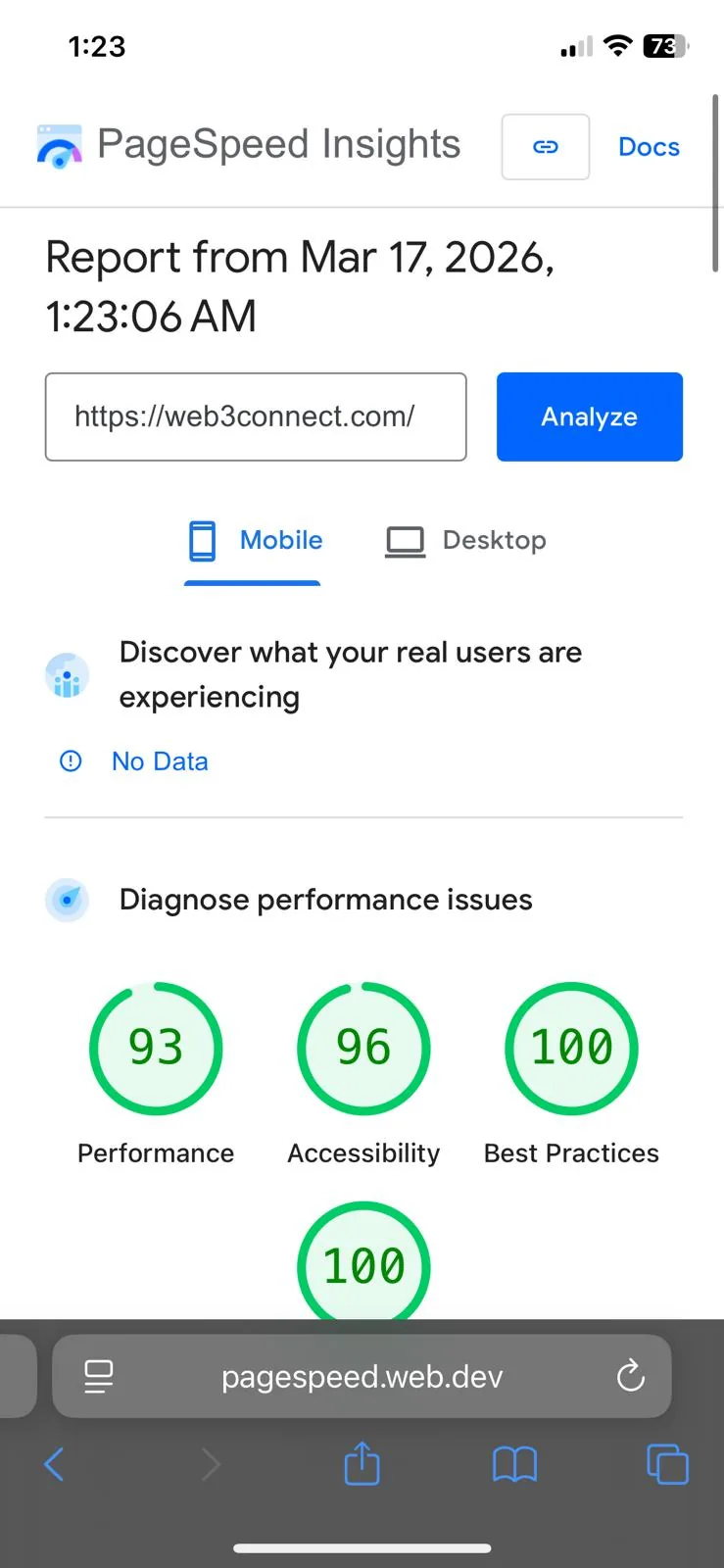
Page speed. Restructured the key pages, removed or delayed code that wasn’t needed immediately, and audited what was actually being loaded.
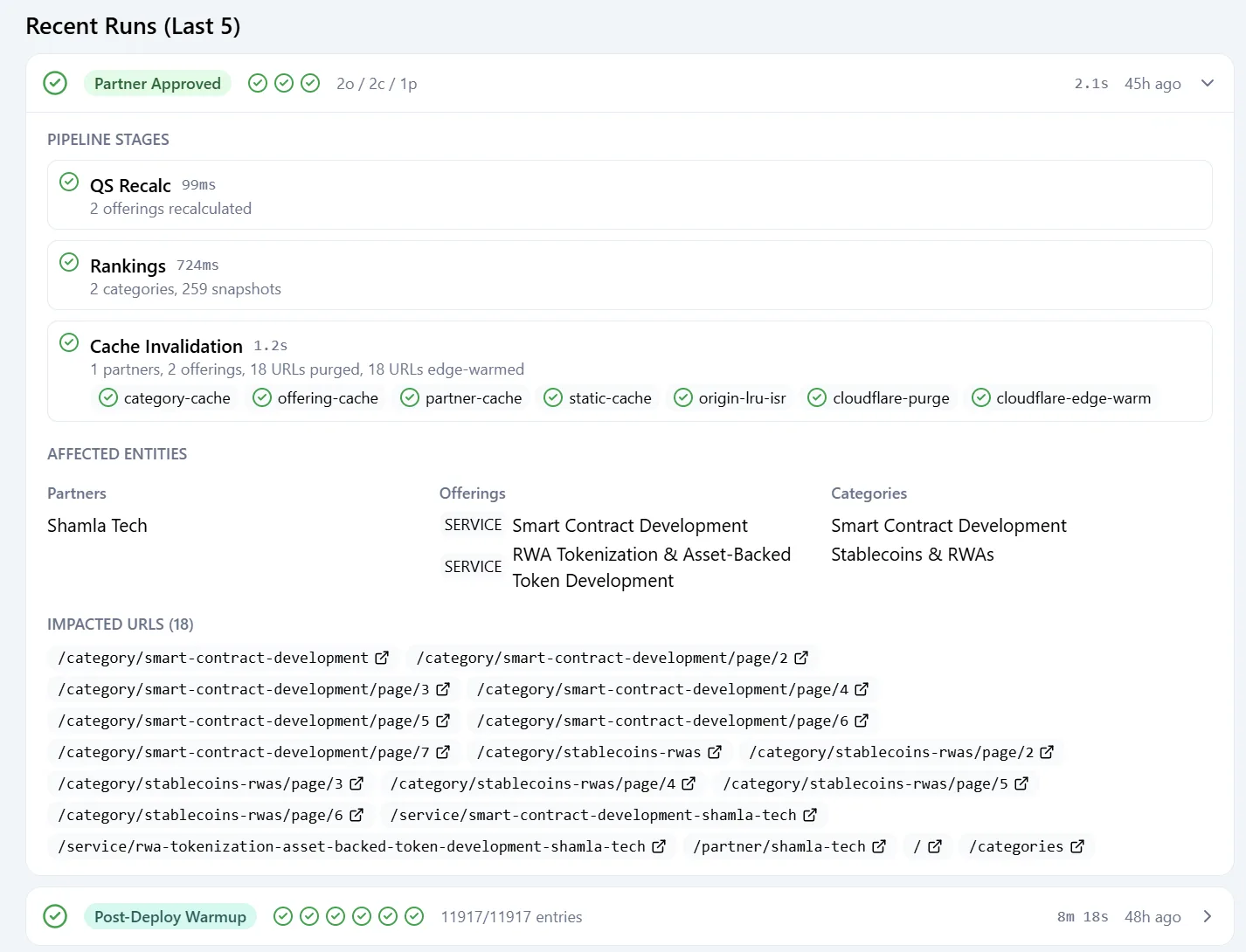
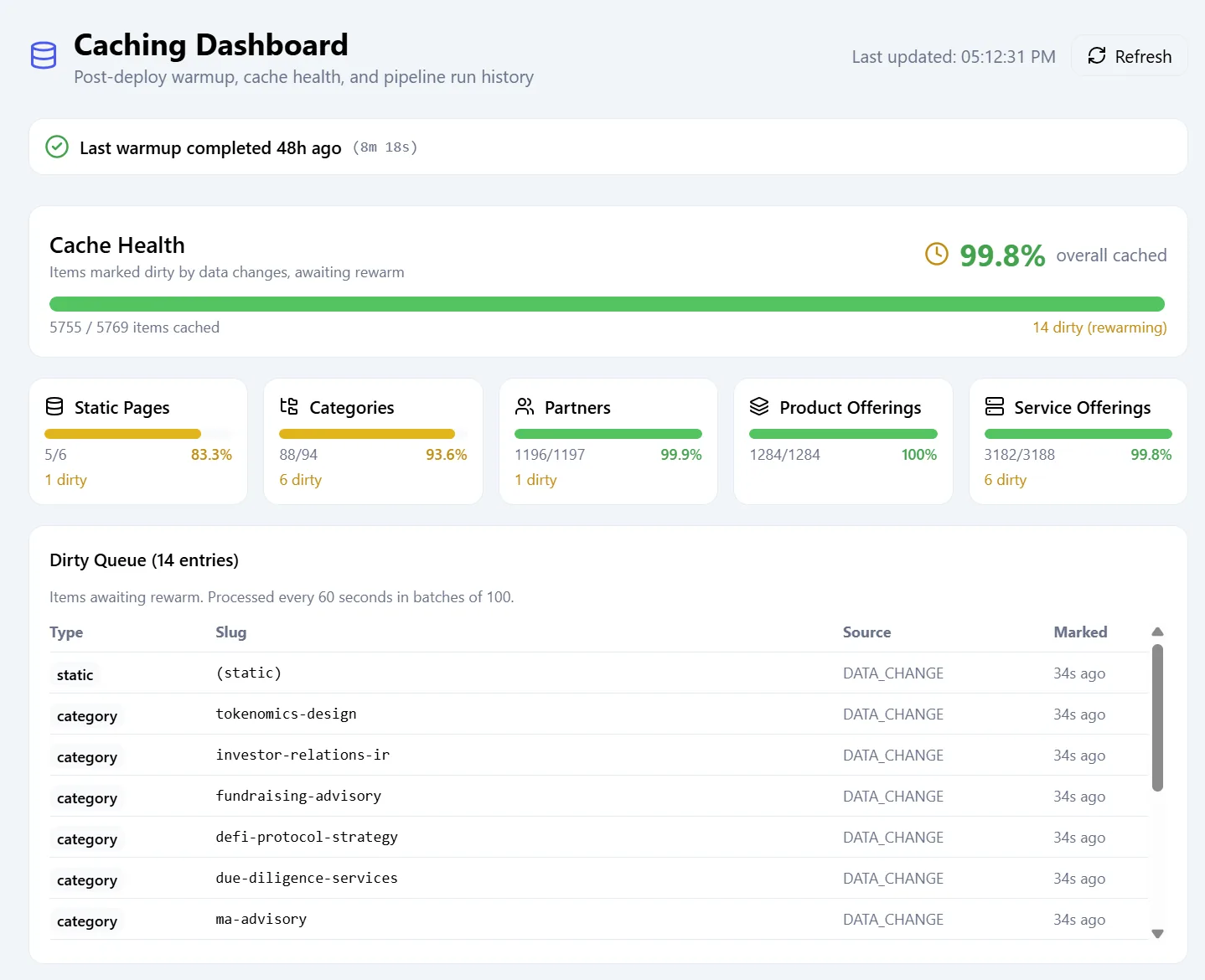
Caching, race conditions, and more duplication. Caching the public site made it load 30× faster, but it introduced a new problem — content staleness.
Resolving this issue was complex as it involved an analysis of:
- which admin and user interfaces may trigger a state change to scored or ranked content
- code duplication across each of these interfaces
- the background worker / queue-based quality score recalculation system
- related actions such as updating Algolia, a third-party content search index
- mapping how content state changes (publishing, deletion, etc) for different types of content affected listed and static content across the public site
- the multi-server app architecture (with no inter-app communication)
- caching layers (database, page, CDN)
- cache invalidation methodologies
- security & performance considerations
I ultimately refactored the system to adopt a pipeline approach, where any change in content state would trigger a single 'downstream' function. This queued and performed a sequence of actions to recalculate quality scores, update rankings, update search indexes, invalidate caches, and rebuild affected pages in the correct order. This ensured that the live site always reflected the most current content state without inconsistencies or stale data.
The attack that was Google
Four hours of traffic at 51 times the normal level, which looked exactly like an attack:
- 254,900
- requests per hour
- 204,084
- gateway timeouts
- 30.3%
- error rate
- 51×
- normal traffic, for four hours
I checked three sources – Cloudflare, PostHog and Railway – querying each one conversationally through its MCP server rather than trying to read three dashboards at speed.
The diagnosis: it wasn’t an attack. 63% came from fifteen Google addresses running speed tests, and another 33% was Cloudflare multiplying those requests by pre-fetching pages.
I implemented a post-deploy cache warm-up process and implemented several bot-detection measures at the CDN and application level.
What I learned
Six things
- If you can’t hire a second opinion, buy one. A commercial starter kit, used as something to check my plan against, cost a fraction of what fixing the same problems after launch would have.
- Work within the tool's limits. AI coding is incredible, but it requires careful guidance and context management.
- Be wary of AI interpretation. Where there is ambiguity there is scope for hallucination. Always define your source of truth when providing instructions. Detect and tackle inconsistency early.
- Don't just track success. Tracking errors and failures provides valuable insights for improvement.